 ToolFavor
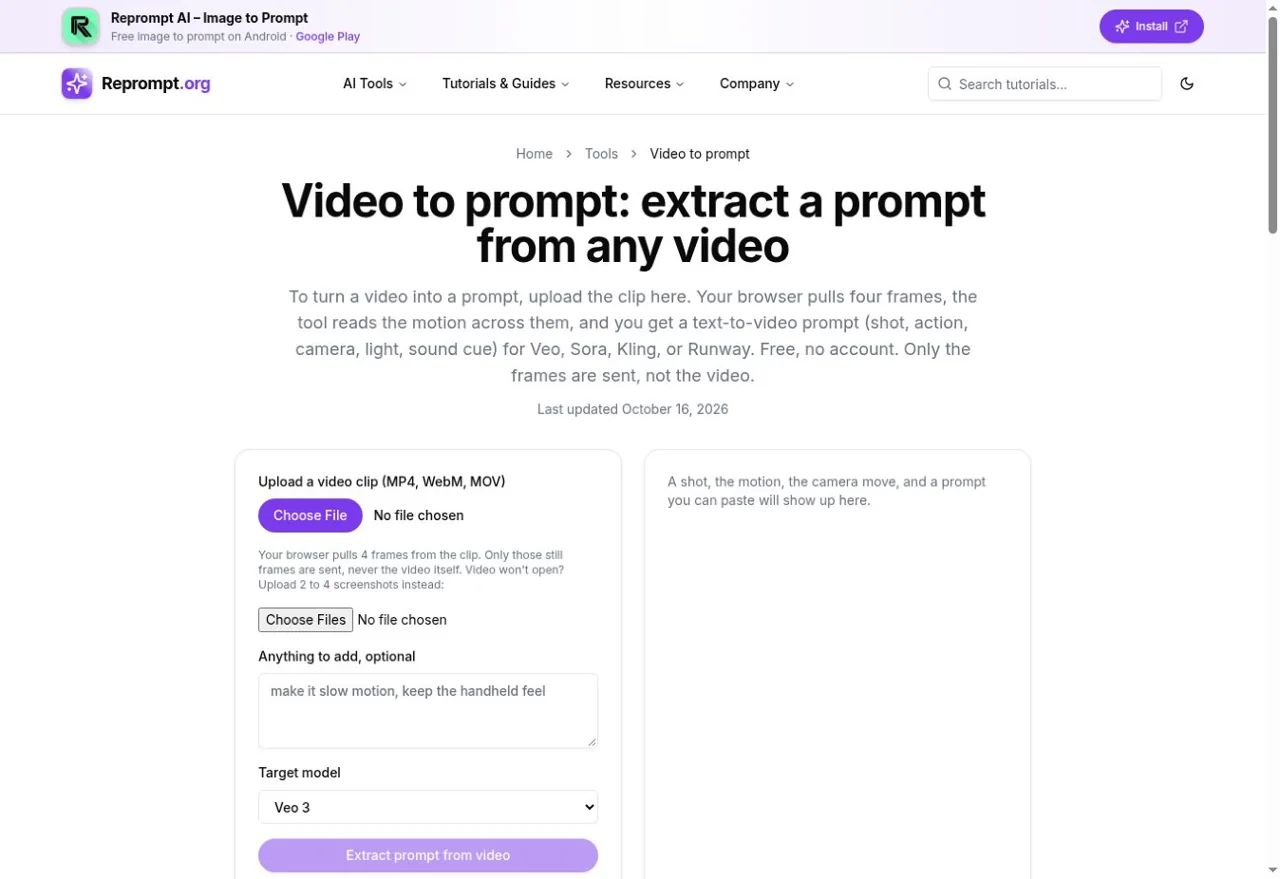
Sample on your device
The browser extracts four frames from the reference clip.
Source
AI Video · Web tool
Four frames. One reusable video prompt.
The browser samples a short clip. Only the still frames are sent for analysis, according to Reprompt; no account is needed.
Official sources and interface checked · Generation quality not tested · Last checked 2026-10-28
The site recommends a short clip of roughly 3–20 seconds.
If playback fails, use two to four screenshots instead.
Choose a model; add motion or sound details the stills cannot show.
By approach and typical use. Not a hands-on ranking.
| Tool | Input | Output / workflow | Main limit |
|---|---|---|---|
 VideoToPrompt | Local video / image | Text; output language | 50 MB video; free terms unclear |
 VideoInPrompt | Upload / supported links | Text + JSON; model presets | Free credits; verify current plan |
 PromptVV | Upload / Chinese platform links | Dialogue, shots, reference formats | 500 MB / 10 min; registration |
| Reprompt Video to Prompt | Clip / screenshots | Four-frame text or JSON prompt | No account; daily limits; one short shot |
| Upload / YouTube | Single-scene / multi-scene | FAQ: 20 MB; free quota varies |
Official product descriptions checked 28 October 2026. Compare workflows, not measured generation quality.
Free planChoose it when you already have a local video or still and want to set the output language.
See on ToolFavorFree planChoose it for model presets or structured JSON that can feed another workflow.
See on ToolFavorFree planChoose it for Chinese platform links, dialogue and first-frame/reference workflows.
See on ToolFavorIt is free without an account or card, but daily and pace limits apply. The tool page does not publish a fixed daily number.
SourceThe tool page says only four JPEG frames are sent; the video remains on your device. This is the service’s statement, not a network audit by ToolFavor.
SourceThe site recommends one shot of roughly 3–20 seconds. Several cuts can mix unrelated scenes into the four frames.
SourceCompatibility depends on browser playback. Try a compatible MP4/WebM or use two to four screenshots.
SourceNo. This tool writes a prompt; paste it into a separate video model. It cannot guarantee the original creator’s wording.
SourceEvery fact links to where it came from.
 Reprompt Video to Prompt · official siteVideoToPrompt · official siteVideoInPrompt · official sitePromptVV · official siteReprompt Video to Prompt · Privacy policy
Independent summary. Not sponsored, not certified, no invented ratings or prices. The official site always has the final word.
Check the current allowance, then start with a short reference.
Open Reprompt Video to Prompt