 ToolFavor
Open and save PSD
PSD is Photopea's main format. Files you open are converted to PSD, so layers stay editable.
Source
Design · Web app · Product guide
A free Photoshop-style editor that runs in your browser.
Open, edit and save layered PSD files, then export PNG, JPG, SVG or PDF — without installing desktop software. Files are processed on your own device.
Editorial summary based on Photopea's official documentation · not a hands-on rating · Last checked 2026-10-24
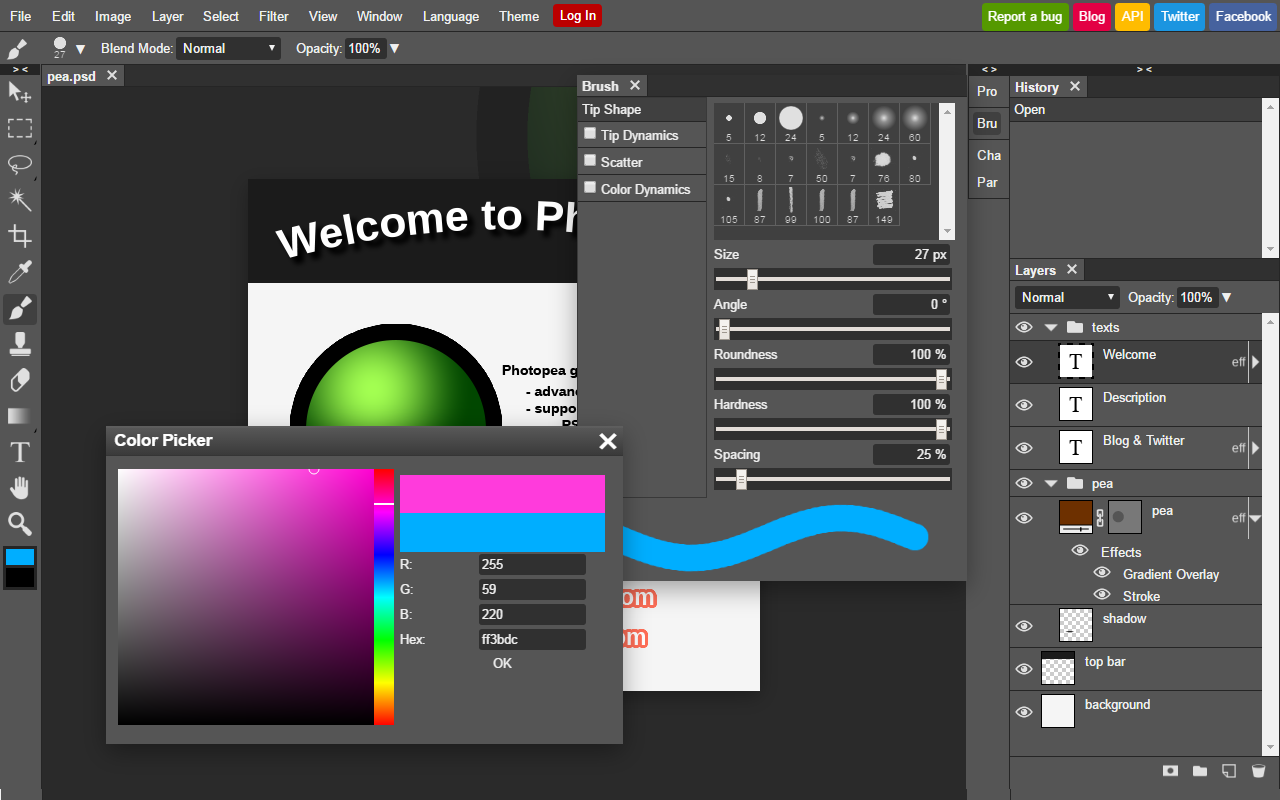
PSD is Photopea's main format. Files you open are converted to PSD, so layers stay editable.
SourceDocumented features include masks, layer styles, smart objects, vector shapes, text, actions and scripts.
SourceUse File → Export As for PNG, JPG, SVG and PDF; Save for Web lets you pick format and resolution.
SourceThe editor loads in your browser. No sign-up form.
Use File → Open, or drag a PSD, PNG or JPG into the window.
Save as PSD to keep editing later; export PNG or JPG to share.
By approach and typical use. Not a hands-on ranking.
| Tool | Main focus | Where it runs | Pricing model | Best for |
|---|---|---|---|---|
| Photopea | Layer-based photo & PSD editing | Browser | Free with ads + Premium | PSD work without installing anything |
 Adobe Photoshop Adobe Photoshop | Professional image editing ecosystem | Mainly desktop apps | Subscription | Full Adobe Creative Cloud workflows |
 GIMP GIMP | Free, open-source image editor | Windows, macOS, Linux | Free | Offline editing with open-source software |
 Canva Canva | Template-based visual design | Web and apps | Free + paid plans | Fast social posts and presentations |
Compares positioning only — not a hands-on ranking, and features are not equivalent. Check each official site for current pricing:
 Free
FreeWant a free editor that works fully offline? GIMP is open-source desktop software.
Learn more Free plan
Making social posts or slides? Templates get you there faster than layers.
Learn more Free plan
Only need to remove backgrounds or make product shots? A dedicated AI tool is quicker.
Learn more Free
FreeWorking mainly with SVG and vector illustration? Inkscape is built for that.
Learn more Free
FreeJust compressing or resizing images? Squoosh does it in one step in the browser.
Learn moreYes. Photopea is free to use and is funded mainly by ads. Premium is an optional paid account; it includes a monthly allowance of AI credits. Check the official account page for the current price.
SourceYes. PSD is Photopea's main format and you can save back to PSD with layers intact. For very complex files, check the result before relying on it.
SourceNo. It runs in the browser. You can optionally install it as a browser app from the More menu, but it still runs inside your browser.
SourcePhotopea states that files you open are processed on your device and are not sent to its servers. If you connect cloud storage such as Google Drive, files travel between that service and your browser.
SourceYes — Photopea documents AI features such as background removal and Magic Replace. Premium includes a monthly AI credit allowance.
SourceEvery fact links to where it came from.
 Photopea homepage — formats and local processingPhotopea privacy policy — files and accountsOfficial guide — opening and savingOfficial documentation — feature chaptersOfficial tutorial — how ads are shownOfficial tutorial — AI creditsOfficial tutorial — installing PhotopeaOfficial account and Premium page
Independent summary. Not sponsored, not certified, no invented ratings or prices. The official site always has the final word.
Go straight to Photopea — no sign-up form.
Open Photopea